
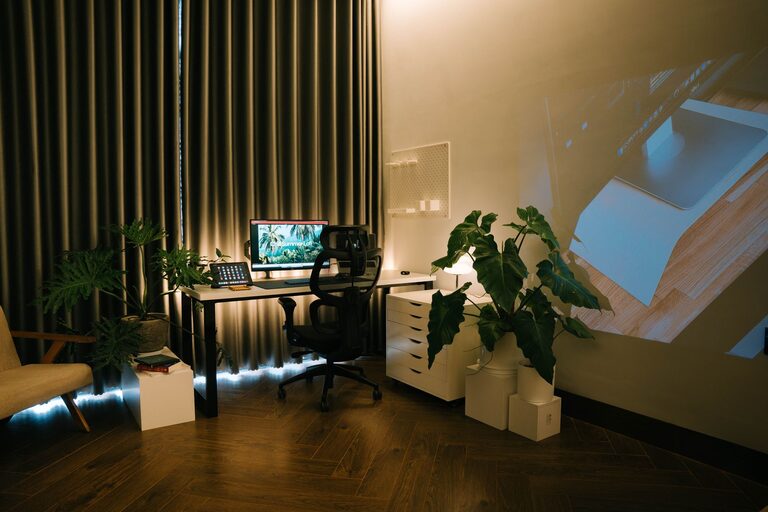
Creating a relaxing home workspace is essential for maintaining focus and well-being while working remotely or catching up on tasks at home. A well-designed area can help reduce stress, improve productivity, and make work feel less like a chore. Whether you have a dedicated room or just a small corner, this guide will help you set up a calming and efficient workspace.
Why a Relaxing Workspace Matters
When your workspace feels cluttered or uncomfortable, it’s harder to concentrate and stay motivated. A relaxing environment supports mental clarity and creativity, allowing you to work more effectively. It can also help separate your work life from your personal life, particularly important when your office is at home.
Choosing the Right Location
Find a Quiet Spot
Select a place with minimal distractions and noise. If possible, choose a room or a corner away from busy areas like the kitchen or TV space.
Consider Natural Light
Natural light uplifts your mood and reduces eye strain. Position your desk near a window, but avoid glare on your computer screen.
Control Your Environment
Good ventilation and a comfortable temperature are key. Use a fan or heater as needed and ensure fresh air circulates regularly.
Comfortable and Functional Furniture
Invest in an Ergonomic Chair
A supportive chair prevents back pain and encourages good posture. Look for adjustable options to suit your height and desk.
Choose the Right Desk
Your desk should have enough space for your equipment and permit comfortable arm positioning. Adjustable or standing desks can be beneficial for movement.
Organise with Storage Solutions
Keep your desk tidy by using drawers, shelves, or organisers. Decluttered spaces reduce stress and improve focus.
Personalising Your Workspace
Use Calming Colours
Soft, neutral tones like blues, greens, or pastels create a soothing atmosphere. Avoid overly bright or distracting colours.
Add Plants
Indoor plants not only beautify your space but also improve air quality and promote relaxation.
Display Meaningful Items
Incorporate photos, inspirational quotes, or artwork that make you feel calm and motivated.
Managing Technology and Lighting
Optimise Screen Position
Place your computer screen at eye level about an arm’s length away to reduce neck and eye strain.
Use Adjustable Lighting
Supplement natural light with a desk lamp that has adjustable brightness and colour temperature to prevent fatigue.
Minimise Digital Distractions
Use productivity apps or browser extensions to limit access to distracting websites during work times.
Establishing a Routine
Set Clear Boundaries
Define your workspace as a dedicated area for work only, helping your brain switch into “work mode.”
Schedule Breaks
Regular short breaks refresh your mind. Try the Pomodoro technique—25 minutes focused work followed by a 5-minute rest.
Keep Movement in Mind
Incorporate stretches or short walks to reduce physical tension and improve circulation.
Simple Tips to Enhance Relaxation
– Play gentle background music or nature sounds to create a peaceful environment.
– Use essential oil diffusers with calming scents like lavender or eucalyptus.
– Practice mindfulness or deep-breathing exercises during breaks to reduce stress.
Conclusion
Creating a relaxing home workspace doesn’t require a complete renovation. Small changes like organising your desk, adding personal touches, and controlling light and noise can make a big difference. By intentionally designing your environment, you’ll foster a space that supports productivity and well-being. Remember, a calm workspace is a happier workspace.